
Capital Gains Calculator
Estimate capital gains tax based on holding period, purchase price, and sale value.
Summary
Transaction Snapshot
Transaction Summary
| Sale Value | Cost + Expenses | Capital Gain | Tax Payable |
|---|
| Particulars | Value |
|---|---|
| Cost of Acquisition | ₹0 |
| Capital Gain | ₹0 |
| Taxable Gain | ₹0 |
| Tax Payable | ₹0 |
Estimate Capital Gains, Taxes & Net Capital Gains
Finmarra’s Capital Gains Calculator helps you estimate the tax payable and net capital gains when selling investments such as listed equity shares, mutual funds, real estate, gold, or unlisted securities. By entering your purchase price, sale price, holding period, and eligible expenses, the calculator instantly shows your capital gain, tax classification, and estimated tax liability, helping you understand your tax impact before selling and make more informed financial decisions aligned with current tax rules.
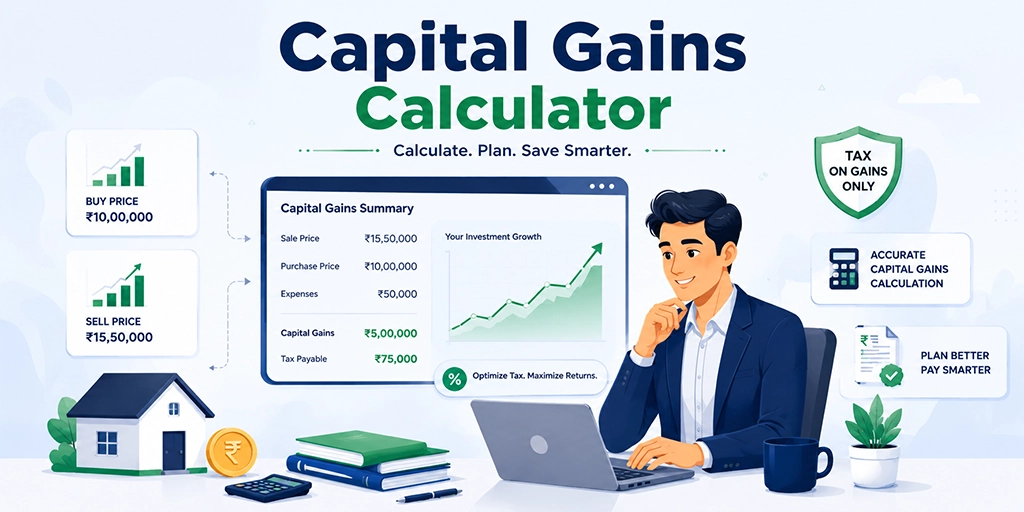
What Is a Capital Gains Tax Calculator?
A Capital Gains Calculator is a financial planning tool that estimates the tax-adjusted return from selling an investment after accounting for purchase price, sale price, holding period, and eligible expenses. It helps calculate both capital gain and the net capital gains across assets such as stocks, mutual funds, real estate, gold, and unlisted securities.
The calculator uses your investment details, sale value, holding period, and expenses to determine gross capital gain, classify it as short-term or long-term, and estimate the applicable tax. It then presents the final post-tax capital gains for a clearer view of actual returns.
Capital gains are subject to varying tax rules based on asset type and holding period, and the final outcome may differ depending on exemptions and tax treatment at the time of filing.
In summary, a Capital Gains Calculator is a planning tool that simplifies tax-adjusted return estimation and helps investors understand the real value of their investment after tax impact.
How Can a Capital Gains Calculator Help You?
A Capital Gains Calculator is a useful financial planning tool for investors looking to understand their real returns after tax when selling assets such as stocks, mutual funds, real estate, gold, or unlisted securities.
Estimate Capital Gain and Tax Liability
The calculator shows your total capital gain and estimated tax payable based on purchase price, sale price, holding period, and eligible expenses. It helps you understand how much tax applies under STCG or LTCG rules before selling an asset.
Compare Investment Exit Outcomes
You can compare different exit scenarios such as early sale vs long-term holding to understand how holding period affects tax rate and overall returns.
Visualize Net Capital Gains
The calculator displays your actual post-tax capital gain (what you keep after taxes), rather than gross capital gain.
Save Time and Improve Accuracy
The calculator instantly computes capital gain, tax classification, and final liability, allowing you to evaluate multiple investment outcomes without manual calculations.
How to Use the Finmarra Capital Gains Calculator
Step 1: Select Your Asset Type
Choose the asset you plan to sell, such as listed shares, mutual funds, property, gold, or unlisted securities.
Step 2: Enter Your Purchase Details
Provide the purchase price and acquisition date of the asset.
Step 3: Enter Your Sale Details
Enter the sale value and transaction date to calculate your capital gain.
Step 4: Add Eligible Expenses
Include brokerage, transfer charges, stamp duty, or improvement costs where applicable.
Step 5: Review Tax Classification
The calculator determines whether the gain qualifies as Short-Term Capital Gains (STCG) or Long-Term Capital Gains (LTCG).
Step 6: View Your Results
The calculator instantly displays:
- Gross Capital Gain
- Tax Classification
- Taxable Capital Gain
- Estimated Tax Liability
- Net Capital Gains
Inputs Required
- Asset Type: Choose the asset category being sold.
- Purchase Price: Enter the original acquisition cost of the asset.
- Purchase Date: Provide the date the asset was acquired.
- Sale Price: Enter the value at which the asset is being sold.
- Sale Date: Provide the transaction date of the sale.
- Eligible Expenses: Include allowable transfer expenses, brokerage charges, or improvement costs that may reduce taxable gains.
Capital Gains Calculator Formula
The Capital Gains Calculator uses standard capital gains and tax calculations to estimate your post-tax return.
Short-Term Capital Gain
STCG = Sale Value - Purchase Value - Transfer Expenses
Long-Term Capital Gain
LTCG = Sale Value - Cost of Acquisition - Transfer Expenses
Cost of Acquisition (Grandfathering)
COA = max(Purchase, min(FMV, Sale))
Taxable Gain
Taxable = max(0, Gain - Exemption)
What the Calculator Shows
Gross Capital Gain
The profit generated from the sale of the asset before applying exemptions and taxes.
Tax Classification
The calculator identifies whether the gain is classified as STCG or LTCG based on the asset type and holding period.
Taxable Capital Gain
The portion of gain that remains taxable after considering eligible deductions and exemptions.
Estimated Tax Liability
The projected capital gains tax payable under current tax rules.
Net Capital Gains
The estimated profit retained after deducting applicable capital gains taxes.
Example Capital Gains Calculation
Example Investment Sale
Asset Type: Listed Equity Shares
Purchase Price: ₹5,00,000
Sale Price: ₹8,00,000
Holding Period: More than 12 Months
Eligible Expenses: ₹10,000
Estimated Results
Gross Capital Gain: ₹2,90,000
Tax Classification: Long-Term Capital Gain (LTCG)
Taxable Capital Gain: ₹1,65,000*
Estimated Tax Liability: ₹20,625
Net Capital Gains: ₹2,69,375
The above figures are estimates based on the information entered and applicable tax rules.
Short-Term vs Long-Term Capital Gains
The tax treatment of capital gains depends on the asset type and holding period. Understanding the difference between short-term and long-term gains helps investors estimate their potential tax liability and net capital gains more accurately.
| Factor | Short-Term Capital Gains (STCG) | Long-Term Capital Gains (LTCG) |
|---|---|---|
| Holding Period | Below the prescribed holding period | Above the prescribed holding period |
| Tax Treatment | Generally taxed at higher rates | Often eligible for concessional tax rates |
| Tax Liability | Usually higher | Usually lower |
| Exemption Benefits | Limited | May qualify for applicable exemptions |
| Net Capital Gains | Lower after tax impact | Potentially higher after tax impact |
| Investment Approach | Shorter holding horizon | Longer holding horizon |
| Suitable For | Short-term investment objectives | Long-term wealth creation objectives |
How to Evaluate
Use the calculator to compare different holding periods and sale scenarios. A longer holding period may result in more favourable tax treatment and improve your final post-tax capital gains, depending on the asset type and applicable tax rules.
Advantages of Using a Capital Gains Calculator
Quick Capital Gain Estimates
Calculate potential capital gains instantly without manual tax calculations.
Understand Tax Liability Before Selling
Estimate the tax payable on your investment gains before completing a transaction.
Supports Better Tax Planning
Understand how holding periods, exemptions, and eligible expenses may affect your tax outcome.
Compare Different Sale Scenarios
Adjust purchase costs, sale values, and expenses to evaluate different outcomes.
Make More Informed Investment Decisions
View estimated post-tax proceeds to help plan future investment or reinvestment decisions.
Capital Gains Tax Classification
A Capital Gains Calculator helps estimate the tax treatment applicable to gains across different asset classes based on asset type, holding period, and prevailing tax rules.
| Asset Type | Tax Treatment Depends On |
|---|---|
| Listed Equity Shares | Holding period and applicable capital gains rules |
| Mutual Funds | Fund category and holding period |
| Real Estate | Ownership period and eligible deductions |
| Gold | Asset type and duration of ownership |
| Unlisted Securities | Applicable capital gains provisions |
The final tax liability may vary based on exemptions, deductions, and current tax laws.
Capital Gains vs Total Return
| Factor | Capital Gains | Total Return |
|---|---|---|
| Measures | Price appreciation | Overall investment return |
| Includes Capital Gain | Yes | Yes |
| Includes Dividend or Income | No | Yes |
| Primary Focus | Asset value growth | Total investment performance |
| Common Use | Gain analysis | Return evaluation |
Capital gains reflects price appreciation alone, while total return includes both gains and income.
Capital Gains Calculator FAQs
How does a Capital Gains Calculator estimate my post-tax return?
The Finmarra Capital Gains Calculator calculates gross capital gain using purchase price, sale price, and eligible expenses. It then applies relevant tax rules to estimate net capital gains after tax.
Can I use the Capital Gains Calculator for stocks, mutual funds, property, and other assets?
Yes. The calculator can estimate capital gains and tax liability for listed shares, mutual funds, real estate, gold, and certain unlisted securities based on the inputs provided.
What is the difference between capital gain and net capital gain?
Capital gain is the profit earned before tax. Net capital gain is the final amount after deducting applicable capital gains tax and allowable deductions.
Does the calculator identify Short-Term Capital Gains (STCG) and Long-Term Capital Gains (LTCG)?
Yes. It classifies gains as STCG or LTCG based on the asset type and holding period and applies the relevant tax treatment accordingly.
Can eligible expenses reduce my taxable capital gain?
Yes. Expenses such as brokerage fees, transfer costs, stamp duty, and eligible improvement costs may reduce taxable capital gains.
How can I compare different asset sale scenarios using the calculator?
You can adjust purchase price, sale price, holding period, and expenses to compare different outcomes before making a sale decision.
Why is my net capital gain lower than my gross capital gain?
Net capital gain is lower because it accounts for capital gains tax and eligible deductions, while gross capital gain only shows profit before tax.
Can a longer holding period improve my post-tax capital gains?
Yes. A longer holding period may qualify the asset for long-term capital gains treatment, which can reduce tax liability and increase net returns depending on applicable tax rules.
Does the calculator include surcharge and cess?
Yes. The calculator includes applicable surcharge and cess while estimating total capital gains tax based on standard rules.
Does the calculator include indexation benefits?
Yes. Where applicable, indexation benefits are considered for eligible long-term capital assets as per standard tax rules.
What is the cost of acquisition in long-term capital gains?
Cost of acquisition is the original purchase price of the asset, adjusted for rules such as indexation or grandfathering where applicable.
When is FMV required in capital gains calculation?
Fair Market Value (FMV) is used in specific cases such as grandfathering rules or when tax regulations require FMV as a reference value.
How accurate is the Capital Gains Calculator?
The calculator provides estimates based on user inputs and current tax rules. Final tax liability may vary due to exemptions, rounding, or regulatory changes.
When should I use a Capital Gains Tax Calculator?
You should use it before selling an asset to estimate tax liability, understand net returns, and make better investment decisions.
Popular Calculators

ELSS Calculator

Car Loan EMI Calculator

Bond Yield Calculator

CAGR Calculator

Down Payment Calculator

Personal Loan EMI Calculator

Home Loan EMI Calculator

Fixed Deposit (FD) Calculator

ROI Calculator

Lumpsum Calculator

Mutual Fund Calculator

SSY Calculator

Financial Goal Planner Calculator

SWP Calculator

EPF Calculator

Inflation Calculator

Net Worth Calculator